 Intercooler
Dashboards
75+ metrics extracted and visualized from every Docusign event. Your dashboard populates in real time — no setup, no queries, no waiting for IT.
What's Included
Six analytics tabs automatically built from your Docusign events, covering every dimension of your signing workflow — from how your team sends to how your signers behave.
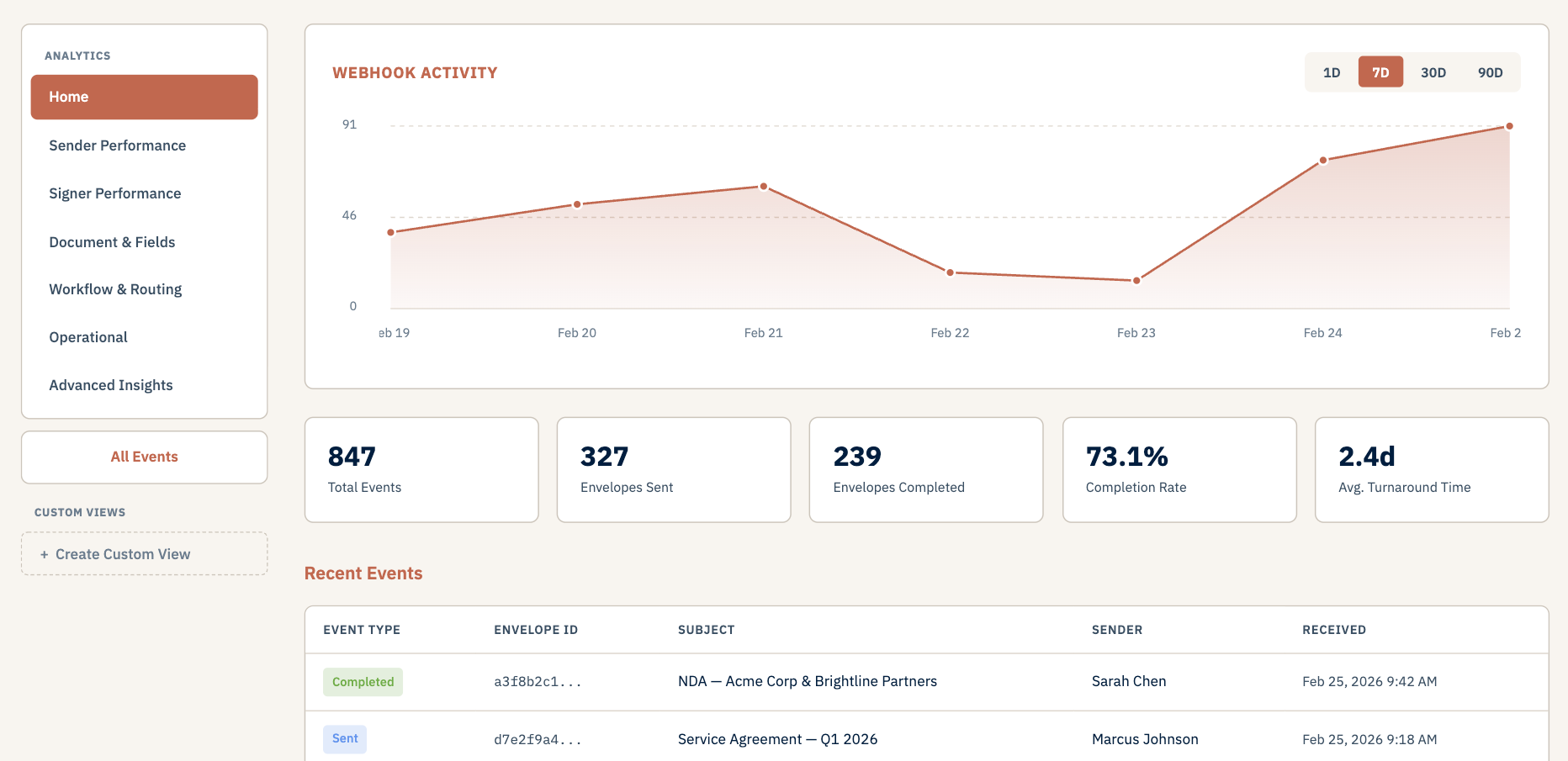
Sender Performance
Understand how your team sends documents and where opportunities exist to improve throughput.
- Envelope volume by sender
- Average creation-to-send time
- Send-to-completion duration
- Activity trends by day and week
- Top templates by usage
Signer Performance
Track signer behavior to identify bottlenecks and understand where completion rates drop.
- Average time to open
- Time to complete after opening
- Bottleneck signer analysis
- Completion rates by signer
- Opens within 1hr / 24hr
Document & Field Analysis
Analyze document structure and field completion patterns to optimize your forms.
- Documents per envelope
- Field type distribution
- Required vs optional fields
- Pre-fill effectiveness
- Custom field usage
Workflow & Routing
Optimize signing workflows by understanding routing patterns and step-level timing.
- Average routing steps
- Time per routing step
- Parallel vs sequential routing
- Performance by signer role
- Multi-signer analysis
Operational & Compliance
Monitor envelope status, system reliability, and compliance indicators across your account.
- Envelope status breakdown
- Webhook delivery rate
- Expired envelope tracking
- Reminder effectiveness
- ID verification usage
Advanced Insights
Deep analytics for process optimization and strategic decision making.
- Cycle efficiency ratio
- Throughput analysis
- New vs returning signers
- Weekly growth trends
- Device and delivery analysis
Unified View
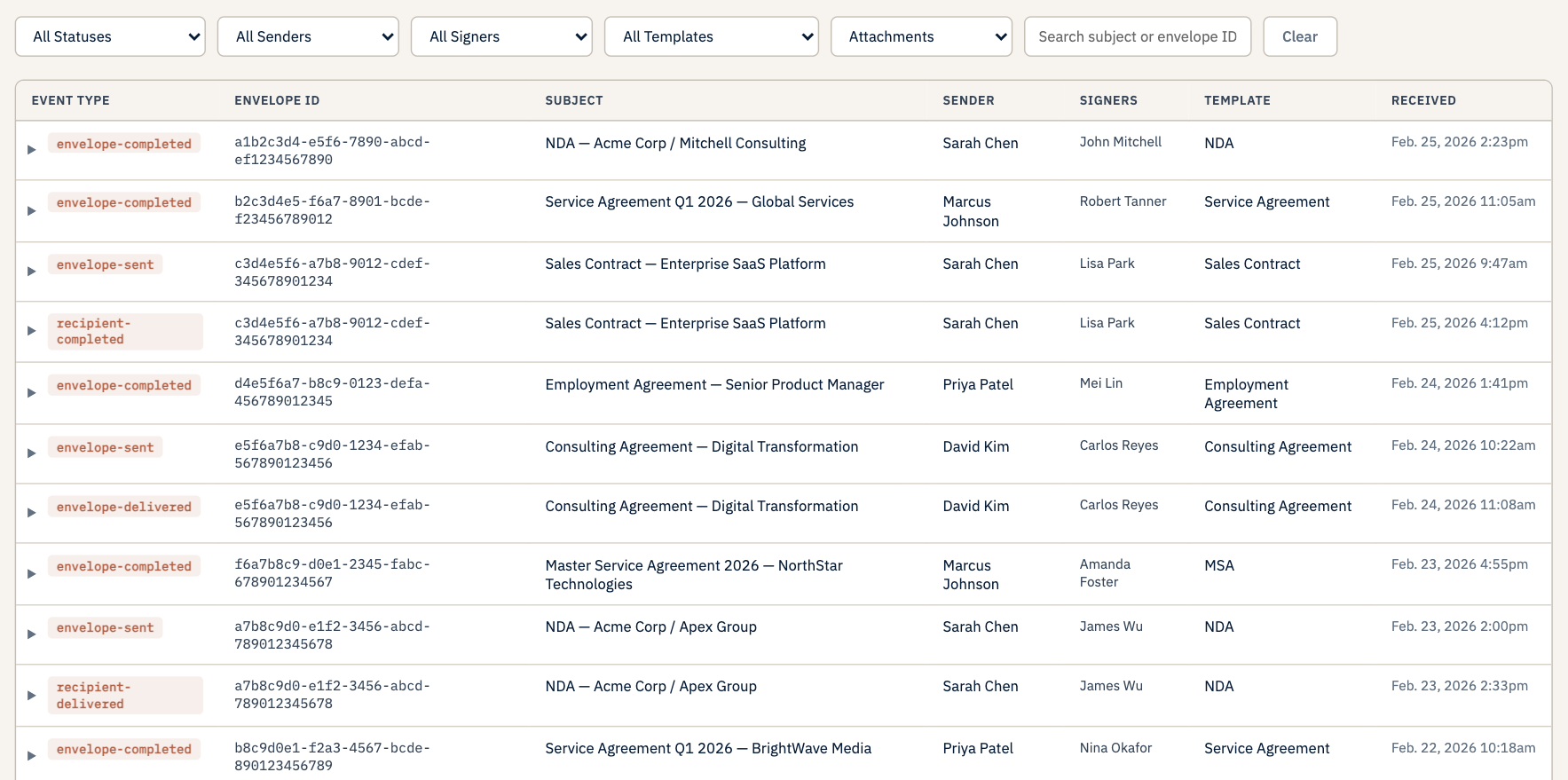
Every event across your webhook in a single, searchable table. Filter by event type, sender, signer, template, or search by subject and envelope ID.
Click any row to expand the full event detail — recipients, form fields, custom fields, and document metadata. Everything Docusign sent, exactly as received.
Use the unified view to audit specific transactions, trace a signing issue back to the raw event, or pull up a signer's full history in seconds.
Custom Views
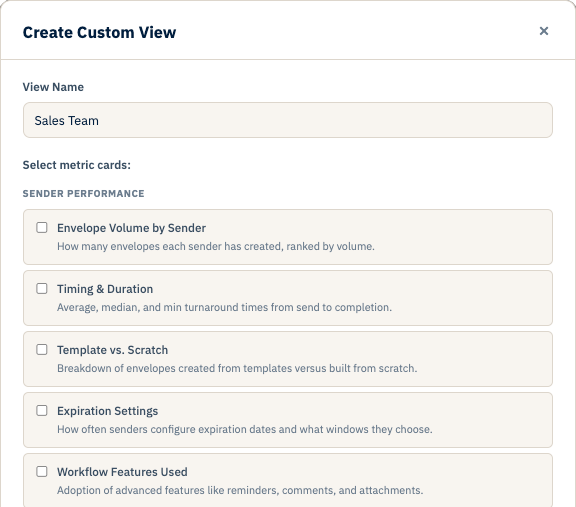
Go beyond the standard tabs. Custom views let you configure your own metric layouts — choose which charts and tables matter most to your team and arrange them into a view that fits your workflow.
Each webhook can have multiple custom views, accessible by anyone with dashboard access. Build once, share with your whole team.