 Intercooler
Security
Every webhook endpoint supports multiple authentication methods you can stack together. Configure from the Settings panel — no code required.
How Ingest Security Works
When a request hits your webhook endpoint, Intercooler runs through a security pipeline. Each layer is optional — enable one method or all of them. If a request fails any enabled check, it's rejected before event processing begins.
A valid API key (layer 2) is treated as full authentication and skips Basic Auth and HMAC checks. This lets you use API keys for programmatic access while keeping HMAC validation active for Docusign Connect traffic.
Authentication Methods
Six independent controls you can enable in any combination from your webhook settings panel.
IP Allowlisting
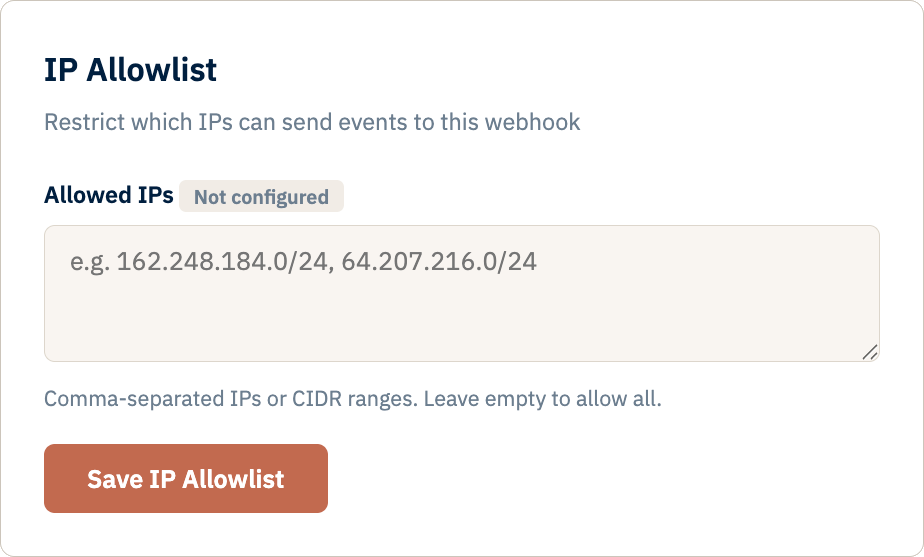
Restrict your endpoint to specific IP addresses or CIDR blocks. Supports both IPv4 and IPv6. Any request from an address not on your list receives a 403 response.
Format: Comma-separated IPs or CIDR notation, e.g.
162.248.184.0/24, 10.0.0.5
API Key Authentication
Generate per-webhook API keys from the Developer tab. Keys use the ic_ prefix and are stored as bcrypt hashes — the full key is shown only once at creation.
Revoke or rotate keys at any time without downtime. Each webhook can have multiple active keys.
Authorization: Bearer ic_<key>Storage: bcrypt hash (full key never stored)
Basic Auth
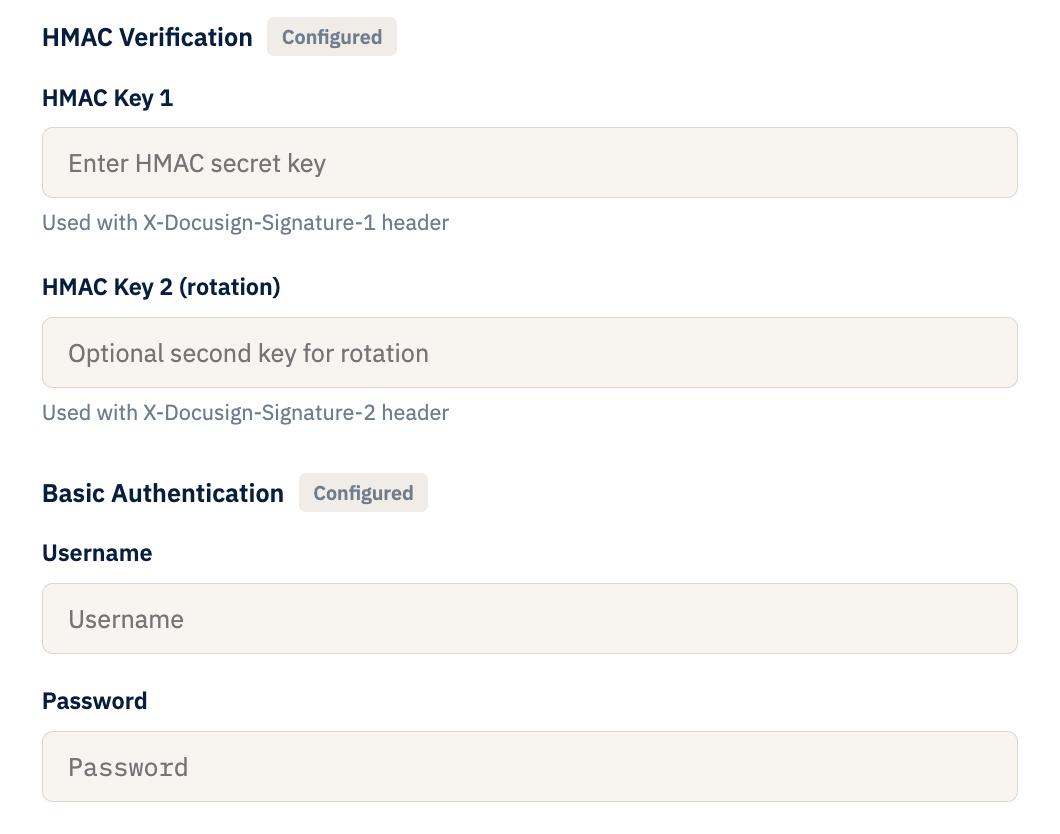
Set a username and password for your endpoint. Standard HTTP Basic Authentication — credentials are validated on every incoming request before event processing begins.
Header:
Authorization: Basic <base64>
HMAC-SHA256 Signatures
Configure up to two HMAC keys for Docusign Connect signature verification. Dual-key support lets you rotate keys without dropping events — if either key validates, the request is accepted.
Headers:
X-DocuSign-Signature-1, X-DocuSign-Signature-2
Team Access Control
Invite collaborators by email with viewer or editor roles. Owners manage permissions from the Team tab. Collaborators see only the webhooks they've been granted access to.
Requires: Invitee must have a verified Intercooler account
Event Retention Policies
Set a per-webhook retention period in days. Events older than the threshold are automatically purged on a daily schedule. You can also delete all stored events manually with password confirmation.
Default: No automatic deletion (retain indefinitely)
Infrastructure & Account Security
Beyond endpoint authentication, every Intercooler account is protected by platform-level security.
- HTTPS Only — all connections encrypted via TLS on Google Cloud App Engine. Plain HTTP is never accepted.
- Email Verification — every account requires email verification before access is granted. Tokens expire after 24 hours.
- Password Hashing — all passwords stored using PBKDF2-SHA256 with per-user salts. Plain text is never stored.
- Secure Sessions — HttpOnly cookies with SameSite=Lax to prevent XSS and CSRF attacks.
- Password Reset — cryptographically secure tokens with 1-hour expiry, sent via email.
- Secret Masking — HMAC keys, passwords, and API keys are masked in the UI. Values are never exposed after initial configuration.