 Intercooler
Developer API
Pull your event data, query stats, and export records programmatically. Authenticate with API keys generated directly from your dashboard.
Authentication
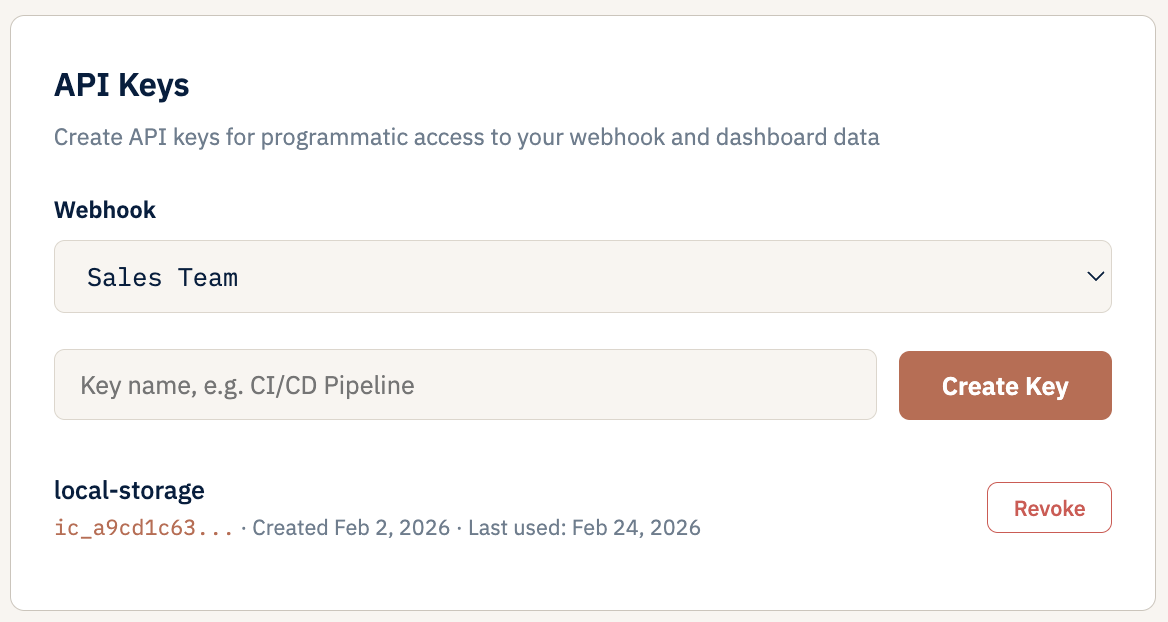
Every API request requires a bearer token. Generate API keys from the Developer tab in your webhook settings — each key is scoped to a single webhook.
Keys use the ic_ prefix and are stored as bcrypt hashes — the full key is only shown once at creation. Revoke or rotate keys at any time without downtime.
Endpoints
Three endpoints accept API key authentication. All return JSON.
Returns the 100 most recent events for the webhook.
| Parameter | Type | Required | Notes |
|---|---|---|---|
| (none required) | |||
Returns aggregate statistics for the webhook. Optionally filter by time range.
| Parameter | Type | Required | Notes |
|---|---|---|---|
| days | integer | optional | 1, 7, 30, or 90. Omit for all-time. |
Download all stored events as JSON or CSV. Supports optional date range filtering. Requires session authentication (not API key).
| Parameter | Type | Required | Notes |
|---|---|---|---|
| format | string | optional | json (default) or csv |
| start | string | optional | Start date: YYYY-MM-DD |
| end | string | optional | End date: YYYY-MM-DD |
Managing API Keys
API keys are scoped to individual webhooks. You can create multiple keys per webhook — useful for different integrations or rotating credentials.
- Create: Settings → Developer tab → “New API Key”. Give the key a name and copy it immediately — it won’t be shown again.
- Revoke: Keys can be revoked instantly from the Developer tab. Revoked keys are rejected immediately.
- Multiple keys: Each webhook supports multiple active keys, so you can rotate without downtime.
- Scoped access: Keys only grant access to the webhook they were created for. They cannot be used across webhooks.